
The field service platform that picks up where the proposal ends.
Most HVAC software stops at the signature. AirMatch keeps going: every signed proposal becomes a scheduled, dispatched, checklisted, invoiced, paid job, on the same platform your sales team already uses.
- ✓No second app to buy
- ✓Included with AirMatch
- ✓Office and field in sync
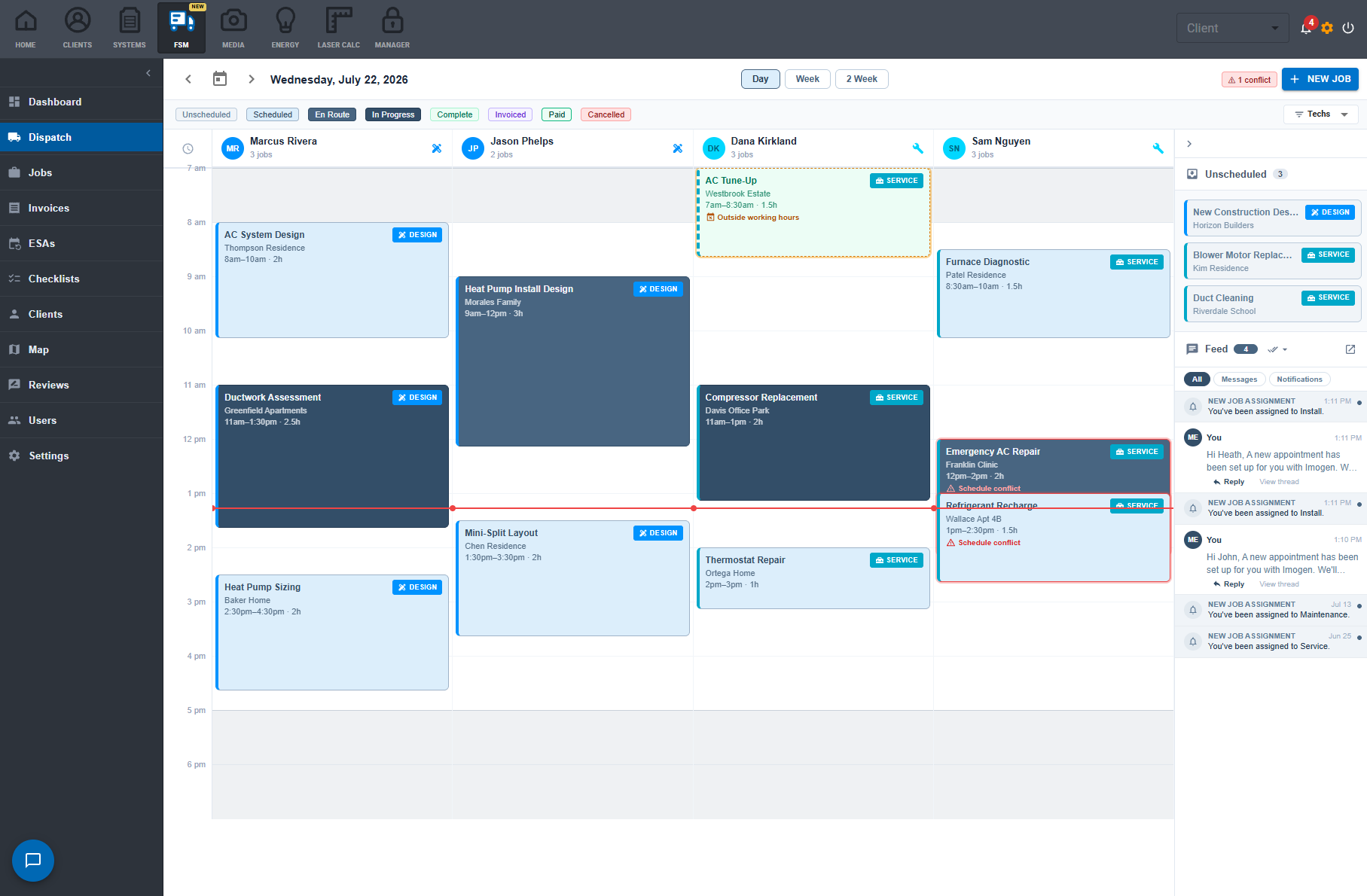
Seven statuses. Zero “hey, what happened with the Johnson job?”
Every job moves through the same pipeline, and everyone sees the same truth: office, field, and homeowner.
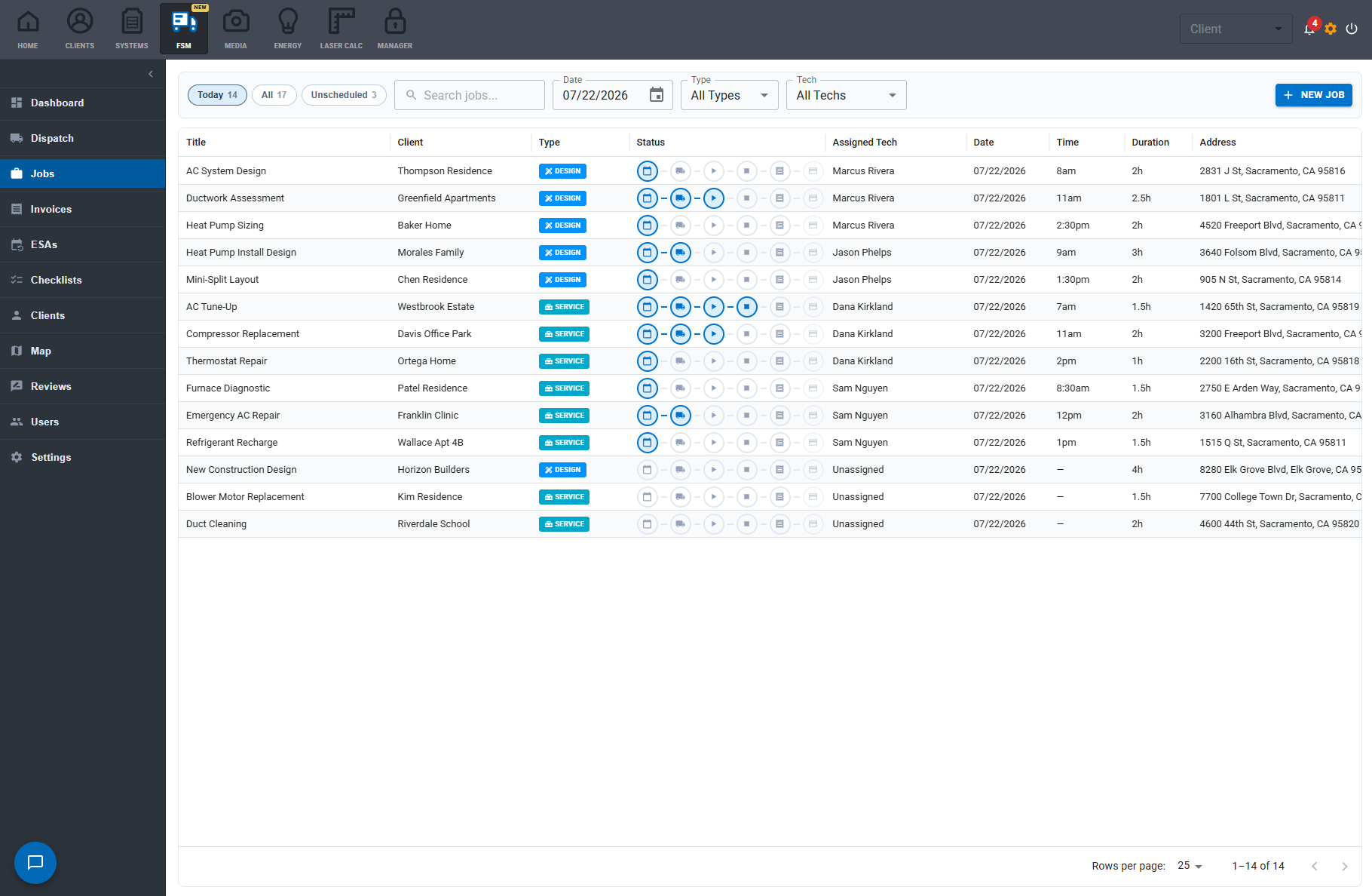
A real FSM, not a calendar add-on.
Dispatch board
Day, week, and two-week views with technician lanes, drag-to-schedule jobs, conflict warnings, and the unscheduled queue always one glance away.
Jobs pipeline
Every job carries its status from Scheduled to Paid. Search, filter, and see exactly where the day's money is. No whiteboard required.
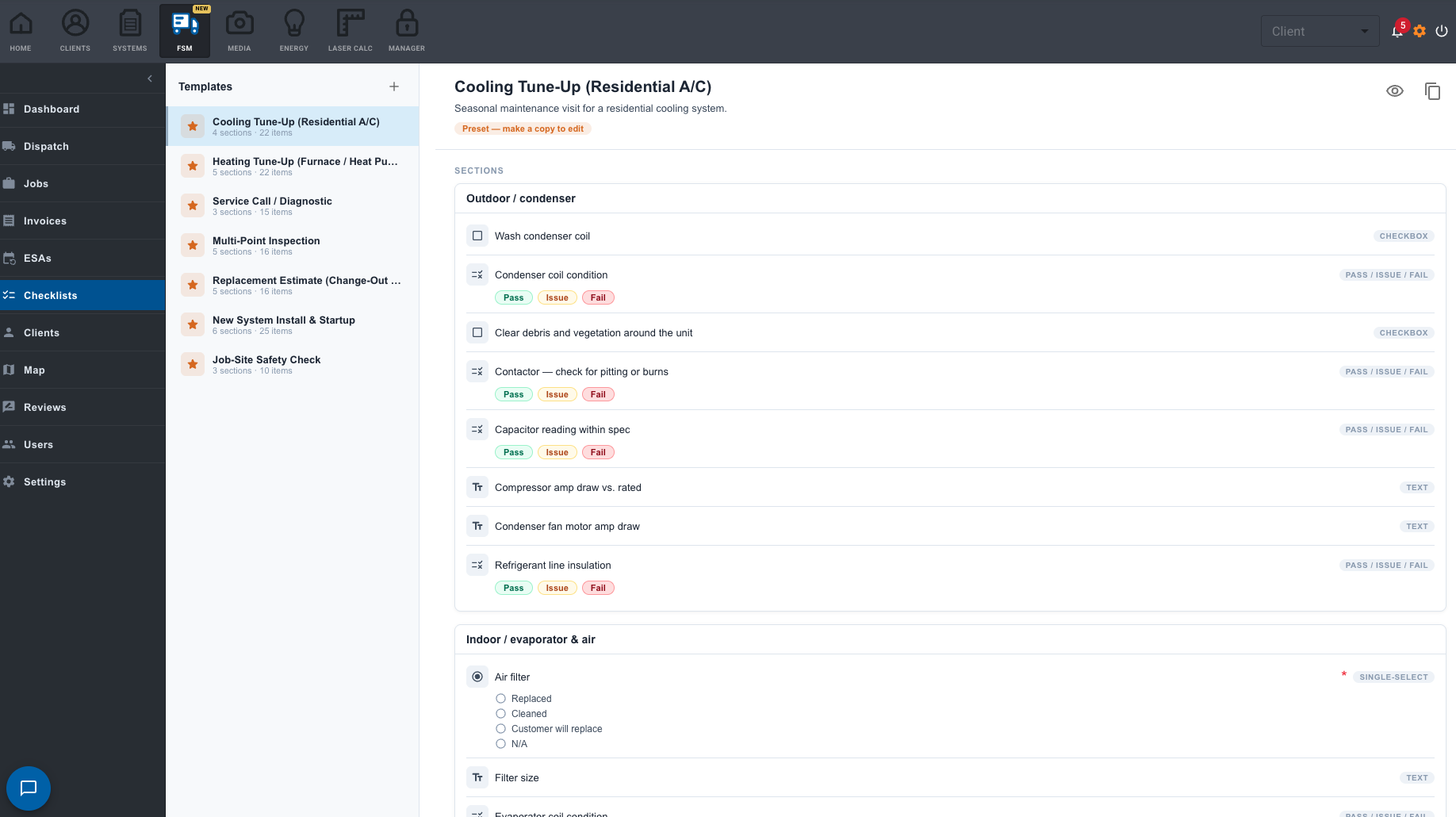
Field checklists
Build repeatable install, service, and maintenance checklists with required items, photo capture, pass/issue/fail, and homeowner sign-off.
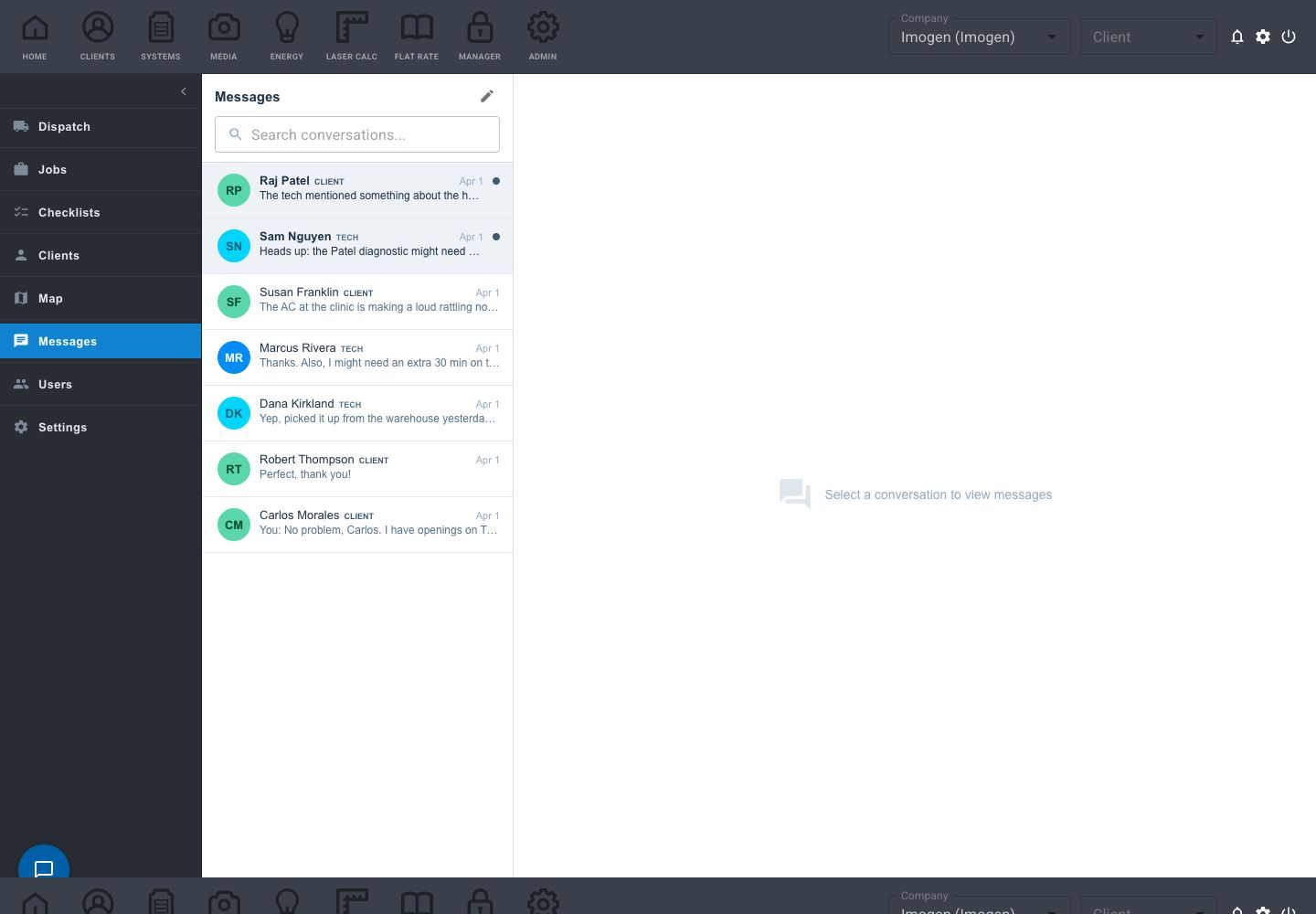
Messages on the job
Customer and crew conversations stay attached to the work order, not buried in somebody's personal text thread.
The office and the truck finally see the same job.
In the office
- See every tech's day, week, and conflicts on one board
- Know the moment a job starts, stalls, or completes
- Invoice from the signed proposal in one click
- Client history, photos, and messages on every record
In the field
- Today's route and job details on the tech's phone
- Required checklist items, so nothing gets skipped
- Photos and readings attach straight to the job
- Collect the balance on site or send a payment link
Recurring revenue that runs itself.
Name the program after your company (“Comfort Club”, “Priority Partner”), build your tiers, and sell them on real recurring billing. AirMatch tracks every agreement's visits, payments, and revenue, and chases the due visits so your office doesn't have to.
- Bill monthly, service quarterly: billing and visit schedules are two independent settings
- Real Stripe subscriptions, with payment health and revenue-to-date tracked live
- Due visits chase themselves: the job is created and the customer is texted a booking link automatically
- Every plan tier carries its own checklist, inherited by every visit, forever
Comfort Club · Gold
Good morning, Maria 👋
Needs your attention
Pay $412 · Review & sign
Today's visit
Dexter is on the way
Arrives 10:00–11:00 AM
Your customers book themselves. You still approve every visit.
Every customer gets a branded, mobile-first portal: visits, documents, invoices, and messages, with online payment and self-scheduling built in.
- No passwords, no signup: customers open a secure magic link
- “Dexter is on the way” with the technician's name and photo on visit day
- Self-scheduling only offers slots where a qualified tech is genuinely available
- Nothing is committed until dispatch clicks Approve: you still control the calendar
And the parts competitors charge extra for.
7 inspections included
Seven professional HVAC checklist templates with 126 inspection points ship free with every account: cooling and heating tune-ups, diagnostics, installs, safety. Copy one and make it yours.
Live technician map
When your techs are on the AirMatch app, see every truck live: en route, on site, idle, or offline, next to today's job pins.
Automatic review requests
After the job closes or the invoice is paid, the customer gets a five-star review request, split between Google and Facebook at the ratio you choose, with reminders that stop the moment they click.
29 switchable permissions
Roles set the default, and every permission flips per person, enforced on the server. A helper gets six taps; a lead tech can collect a card without being able to void an invoice.
You're not implementing software. You're turning on a tab.
- ✓Your clients and price book are already in AirMatch, so there is nothing to import
- ✓Coming from elsewhere? One-click QuickBooks and CSV import with duplicate detection
- ✓Seven pro checklists included on day one
- ✓Example-data mode fills the board with sample jobs so your team can explore before entering a single record
Run a job from sold to paid right now.
The live demo takes about ninety seconds. Schedule it, dispatch it, run the checklist, send the invoice, get paid, all with sample data.