
Dispatch
HVAC dispatch software built around the four questions a dispatcher asks all day.
Who is working, who is free, what is late, and what is unassigned. One board answers all four, with drag-to-schedule lanes, real availability shading, and every customer request waiting on a single Approve click.
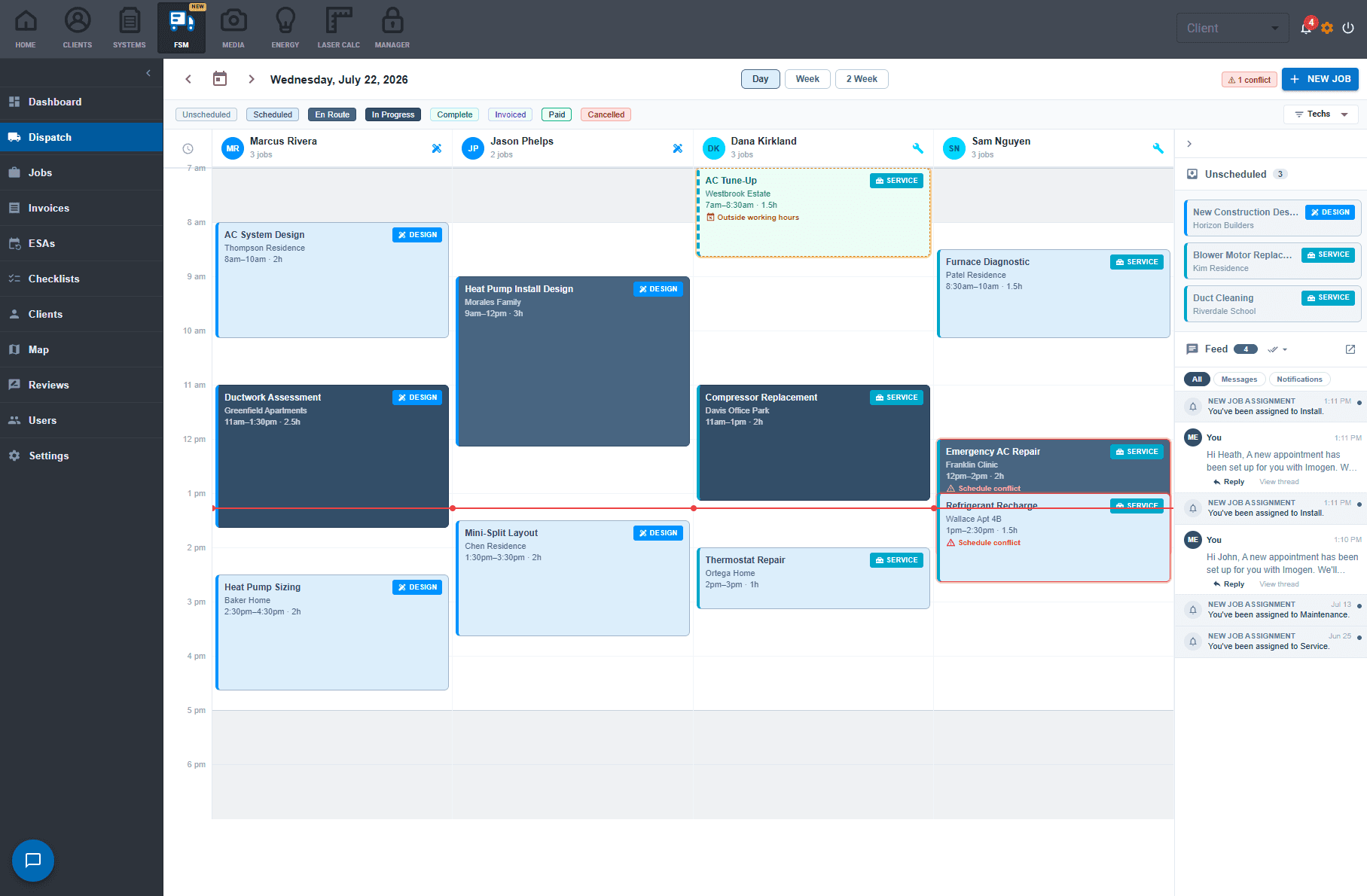
Drag everything
Drag to schedule, drag to reassign, drag the edge to change duration. Day, week, and two-week views, snapping to 15-minute increments, with a live now line across today.
Real availability, drawn on the grid
Business hours, closed days, holidays, each technician's personal schedule, and PTO all shade the board, so you see who is actually available instead of guessing.
Soft warnings, not hard blocks
Booking outside business hours is allowed on purpose (6pm emergency calls exist). Dropping a job on a tech without a required skill raises an amber warning with one-click fixes. The dispatcher runs the shop, not the software.
The unscheduled queue
Every job without a date sits below the board, ready to drag onto a lane. Signed proposals land here automatically, so sold work never hides in someone's inbox.
A live activity feed
Job status changes, client replies, and new appointment requests stream next to the calendar in plain language, each with its own icon.
Customer requests, dispatcher approval
Visits customers book through the portal appear as grayed, dashed blocks pinned to the tech they picked. Nothing is committed until dispatch clicks Approve.
Sold work schedules itself forward.
The signed proposal drops into the unscheduled queue with its pullsheet, price, and customer attached. Scheduling it is one drag, and the customer gets a confirmation text with the technician's photo.
Frequently asked questions
Does AirMatch dispatch handle multiple technicians per job?
Yes. A job can carry a crew, each appointment can override the crew, and a multi-day install is one job with multiple visits.
Can it warn about double-booking or missing skills?
Yes. Conflicts and skill mismatches raise soft warnings with one-click fixes rather than hard blocks, so the dispatcher stays in control.
Can customers book their own appointments?
Yes, through the customer portal. The slots offered are genuinely available for a qualified technician, and every request waits for a one-click dispatch approval.
Does it show where my technicians are?
When your techs use the AirMatch mobile app, the live map shows every truck (en route, on site, idle, or offline) next to today's job pins.
What does AirMatch dispatch software cost?
AirMatch starts at $99 a month billed annually. Book a demo to map the right tier to your team.